For retailers
Decide what deserves space. Manage every metre.
Decide what to list, build planograms and manage supplier-funded space, send approved plans and work to stores, then use sales and stock performance to improve the next decision.
What you can use ShelfGrid for
Six connected retail controls + Data Exchange.
Use the retail capabilities you need around range, space, stores and performance. Data Exchange remains the separate ShelfGrid Platform route and can be used independently.
One simple retail loop
Decide range → plan space → deploy → execute → measure → improve.
The deeper operating model stays connected, but the practical job is simple: move a retail decision from range and shelf planning into store action and back into the next review.
Use rules, sales, clusters and management judgement to decide what should be listed.
Turn the range into shelves, fixtures, planograms and supplier-funded space.
Approve the plan and send the right version to the right stores.
Give store teams clear tasks, plan access, comments and status.
Use sales, stock and shelf performance to see what happened.
Feed the result into the next range, space or execution decision.
Know what deserves space and why.
Define ranges by store cluster, scoped by category or brand and informed by a customisable mix of sales, performance and strategic measures. Recommendations remain reviewable decisions rather than silent automation.
Explore Category & Space Planning →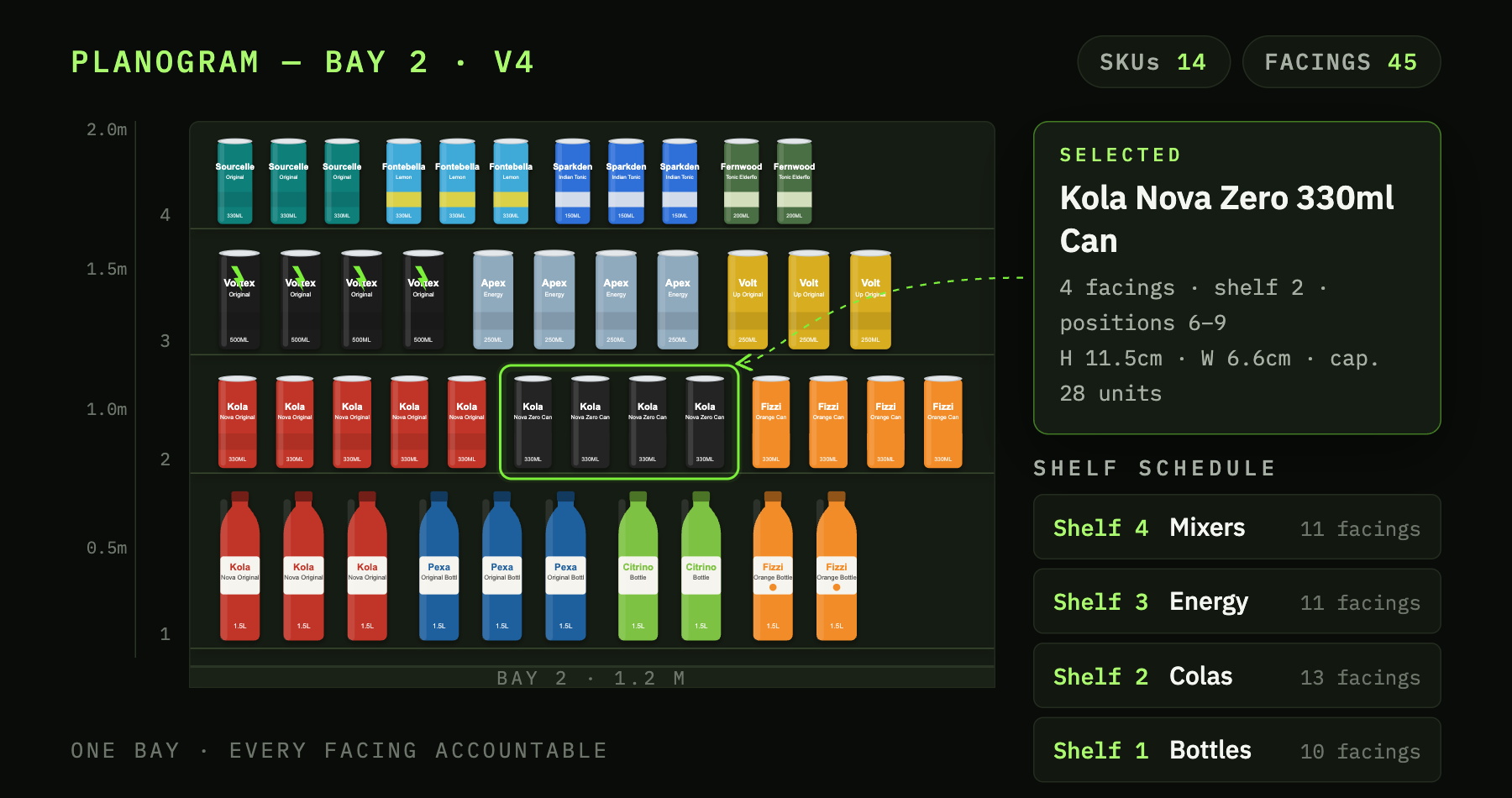
- DECIDEReview the range
Keep category, brand and product context visible while deciding what deserves space.
- PLACEWork against the shelf
Translate the decision into facings and position rather than leaving it in a spreadsheet.
- HAND OFFCarry the plan forward
Publish the approved planogram and store instructions to the dedicated Store Portal, ready for execution and later performance review.
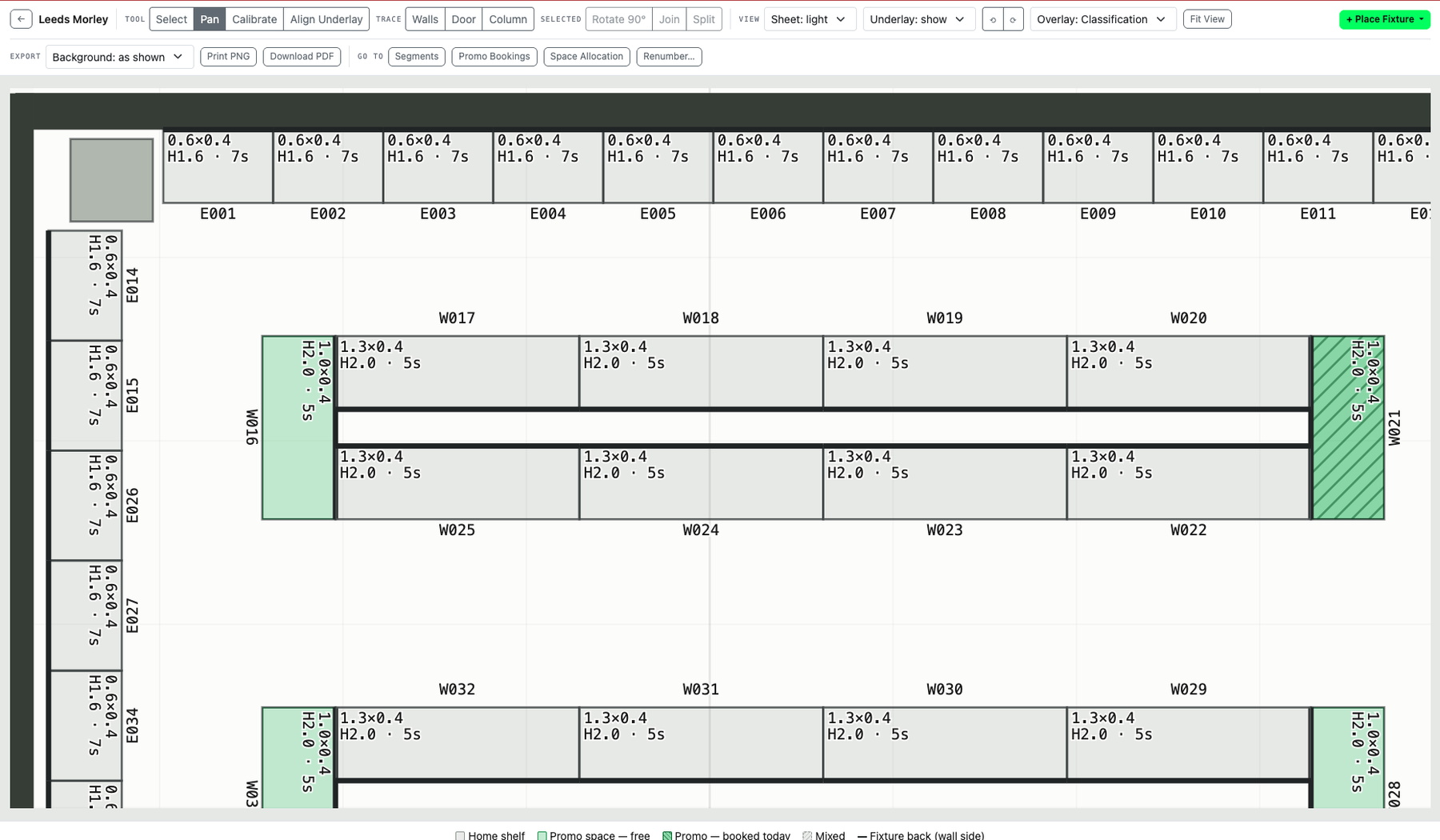
Build the physical store once. Reuse it across decisions.
The Fixture Library and store floorplan model anchor planograms, promotional space and physical inventory to an actual place rather than a generic store name.
Explore the deeper planning capability →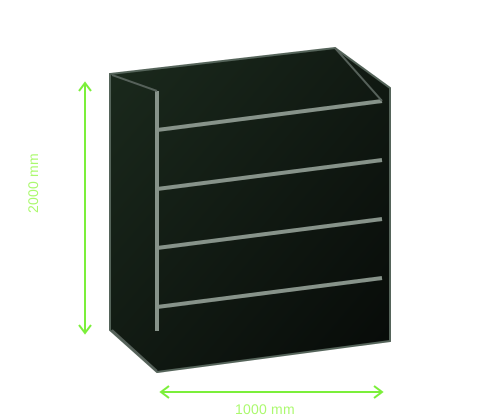
- MODELCreate or maintain the structure
Create or maintain fixture dimensions and shelving in the Fixture Library as a reusable physical structure.
- LOCATEAnchor it to the store
The fixture remains tied to its real store and floorplan position.
- APPLYSupport multiple decisions
Use the same structure for planograms, promotional bookings and execution tasks.
Manage supplier-funded and leased space as deliberately as permanent shelf.
Record who the space is allocated to, for which period, on which fixture and against which plan. Permanent, promotional, paid and leased space remain visible within the same store model.
Explore Category & Space Planning →Fixture dimensions, ranges, shelf segments and planograms hold the everyday space decision.
Book or lease shelf spans by supplier and date range, assign a planogram and check occupancy against the fixture.
Keep the everyday shelf decision connected to the store.
Keep temporary space tied to dates, supplier and physical position.
A plan is only useful when the store can act on it.
Store tasks bring the relevant shelf drawing, product information, owner and status into the work itself.
Explore Retail Execution →Create and prioritise the store or field task with a clear owner.
Planogram tasks can expose the drawing on screen or as PNG/PDF alongside comments and product search.
Status changes and comments remain part of the task record instead of vanishing into a chat thread.
Which stores, products or plans need attention?
Use sales, stock, store and category analysis to find meaningful differences, then review the range, planogram or store context behind the result.
Explore Performance & Analytics →Keep results close to the store, range and planogram they describe.
Use category, store and product views to identify meaningful variation.
Open the relevant product, store, range or shelf context instead of stopping at the chart.
Use the result in the next range, space or execution review.
Share selected data and space without giving up control.
Let suppliers work only within the data, shelf space, plan or approval scope you choose. Retailer-assigned shelf blocks, shared plans, promotional space decisions and cross-company approvals are workflows being shaped from the current planning, permission and task foundations.
Wider data, workflows and decision rights remain retailer-controlled.
Use explicit grants for selected data, then extend into defined shelf, range, space and approval workflows where both sides agree.
The supplier sees only authorised data and agreed planning scope; retailer approval and authority remain intact.
Give suppliers one controlled place to provide product information.
Product Data & Exchange is the ShelfGrid Platform proposition rather than another retailer operating control. Use ShelfGrid as your own supplier data-intake platform around existing systems. Define what suppliers should provide, validate submissions through the Platform against configured requirements, review exceptions and keep approved product information ready for ShelfGrid and downstream systems. Supplier self-service intake and richer status and approval workflows are being extended from the current data and access foundations.
Explore the Platform data layer →Bring product records, imagery and supporting information into one controlled retailer workflow instead of reconstructing the submission from email and folders.
ShelfGrid checks configured required fields, formats, media and business rules, then surfaces missing or invalid information for attention.
Track what has arrived, what needs review and which version is approved, with submission and change history retained as the workflow expands.
Make controlled product information available to retail systems and reuse the same foundation across range, space, execution and analysis.

See ShelfGrid against your retail workflow.
Start with range and space, store execution, supplier collaboration or the standalone Platform for Data Exchange. Add another area when the next business case is there.