For distributors, importers, wholesalers & suppliers
Set the shelf standard. Direct the field. See the result.
Create or adapt ranges and planograms, manage trade assets and paid retail space, direct merchandisers, handle expiry and returns and use performance and field evidence to guide the next decision. It works even when the retailer does not use ShelfGrid.
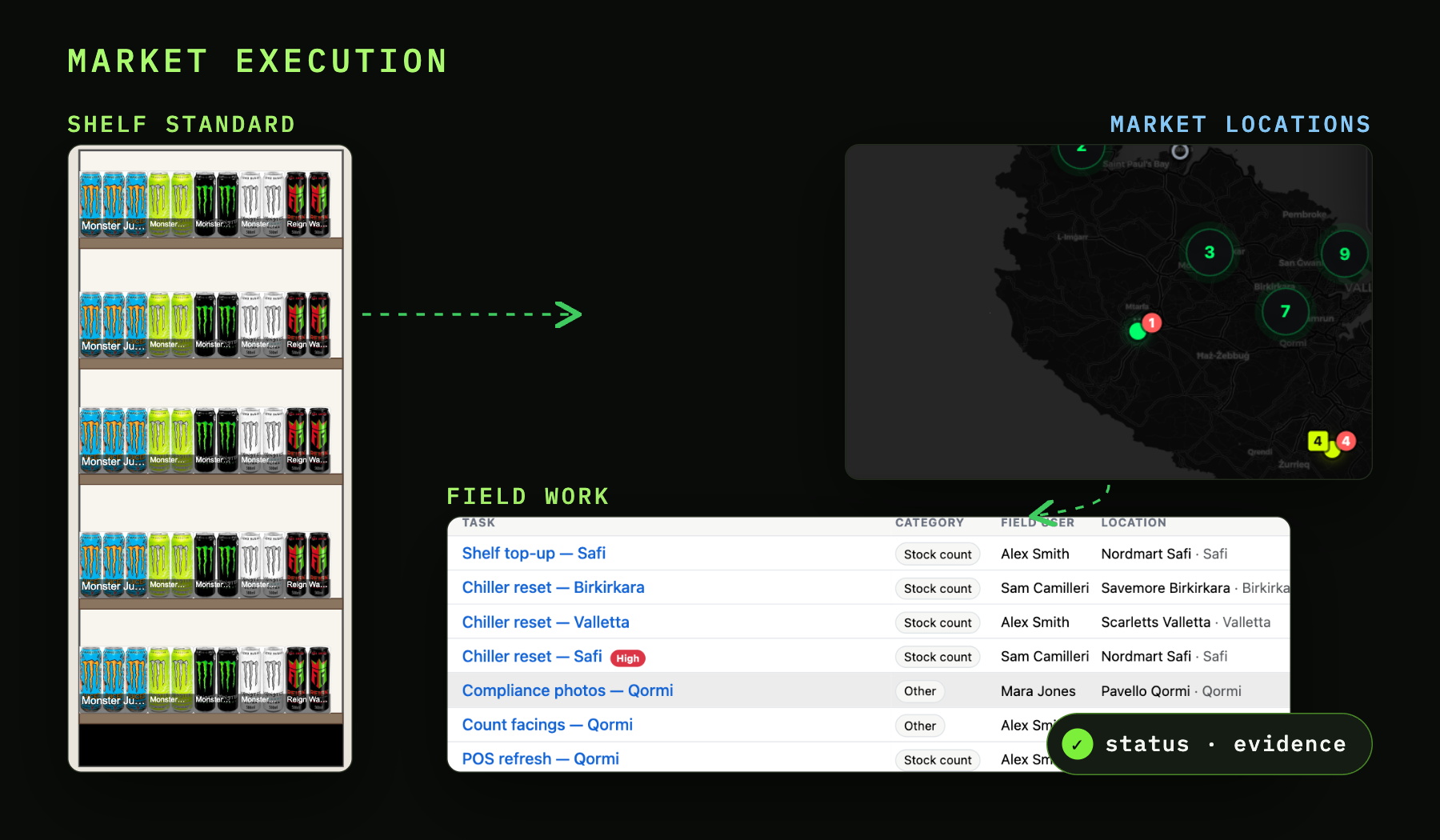
Five practical jobs
Five connected operating capabilities + Data Exchange.
Start with the job you need to improve. The five operating capabilities cover the work in market; Data Exchange remains the separate ShelfGrid Platform route and can be used independently.
One market loop
Plan → place → send to field → capture → review & improve.
Keep the retailer, store, fixture, plan, instruction and outcome connected as work moves from the manager into the market and back again.
Set the range, shelf or planogram for the retailer, store or fixture.
Connect the plan to the trade asset, paid space or retail location where it applies.
Route the right instruction to the merchandiser or field user responsible.
Keep status, comments, photos, quantities or issues with the work where required.
Use exceptions and performance to decide what should happen next.
Create or adapt the range and planogram for the space you actually manage.
Use product data, reusable fixtures and editable planograms to create the approved shelf for a retailer, store or fixture. Keep the active version connected to the location and the work that follows.
Explore Range, Shelf & Planogram Planning →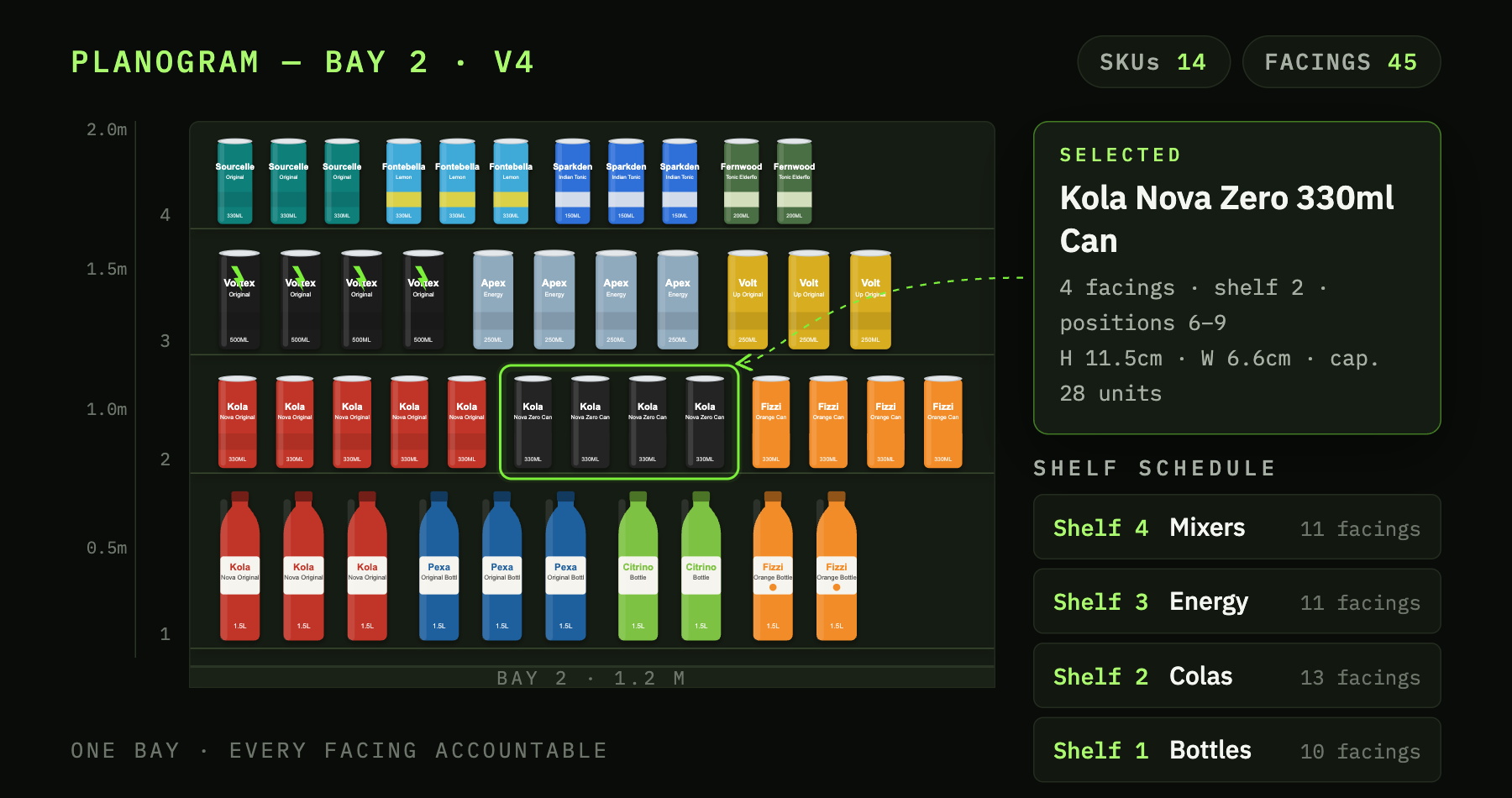
- CREATEBuild or adapt the shelf
Reuse products and digital fixtures, then edit the assortment, placement and facings for the store context.
- DEPLOYApprove the version and place it
Connect the active plan to the relevant store, fixture or managed space.
- FOLLOWKeep it tied to the work
Use task, status and comment history now, with richer evidence and corrective follow-up being extended from that foundation.
Know where every trade asset and paid placement is.
Track stands, display units, chillers, freezers and other owned equipment alongside time-bound retail space by location, brand and period. Keep the planogram and movement or booking history with each physical asset or placement.
Explore Trade Assets & Retail Space →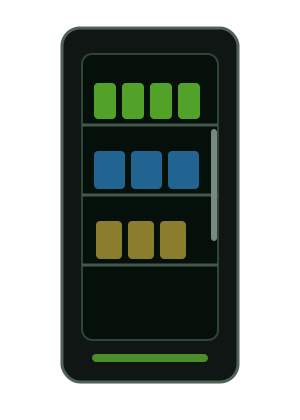
- OWNEDOwned trade assets
Track stands, display units, chillers, freezers and other equipment by location, state and movement history.
- BOOKEDPaid retail space
Connect promotional spans, booking periods and the planogram intended for the location.
- EXTENDINGContracted shelf blocks
Agreement conditions, cost and performance controls can extend the same location-based model as the workflow is validated.
Send the right instruction to the right store and see what came back.
A planogram, launch or management instruction should not end as a file or message. Send the store, fixture, products, dates and required proof with the work, then review status, photos, quantities, comments or issues against the same instruction.
Explore Market Actions & Field Execution →- DIRECTSend the instruction in context
Keep the store, fixture, products, dates, planogram and approved instruction attached to the work.
- EXECUTEGive the merchandiser one worklist
Route work to the responsible user and capture the status or proof required by the workflow.
- REVIEWSee what needs correction
Use status, comments and returned evidence to identify deviations and follow-up without reconstructing the story from chat.
Intervene before stock becomes a return or credit.
Keep the expiry warning, chosen intervention, recheck, later return or claim and commercial approval in one case history before Finance posts the result.
Explore Expiry, Returns & Support →Identify availability, short-dated stock, return activity or another exception in its store and product context.
Let the accountable manager choose the response and route the required work.
Test whether the intervention worked and retain the field evidence.
Compare a later claim with prior warning, support, collection, quantities and warehouse receipt.
Approve the eligible quantity and value before the credit is posted.
Which stores, products or actions need attention?
Use sales, stock, store and category analysis to surface material changes. As more operating history is retained, open the plan, placement, task or case that helps explain the result.
Explore Performance & Analytics →Compare sales, stock, products, stores, categories, facings and planograms using the current analytical foundation.
Connect the exception to the relevant plan, placement, task, intervention or owner as those workflows expand.
Use the evidence and performance context to focus the next planning or field decision.
Need Data Exchange? Use the Platform independently.
Product Data & Exchange is the ShelfGrid Platform proposition rather than another distributor operating capability. Connect or import source data once, maintain the approved product record and shape retailer-specific outputs without rebuilding each file or submission process. Authorised upstream brand-owner inputs can feed the same foundation where enabled; reusable retailer mappings and automated delivery are being extended or validated.
Explore the Platform data layer →Keep the core product and media record in one controlled foundation instead of preparing a separate master for every retailer.
Apply retailer-specific mappings and preconfigured retailer layouts where available, with additional structures configured as requirements are added.
Generate or transmit the required output from the same source and retain version and delivery context as the exchange workflow expands.
Who this is for
For businesses that bring brands into retail.
The route to market changes, but the practical jobs are similar: plan what should be in store, manage the places and assets behind it, send work to the field and respond to what happens.
Coordinate brands, retailers, retail space, field teams and market exceptions.
Coordinate ranges, retail space, assets and field activity for the brands you bring into market.
Translate agreed brand decisions into the stores and retailer network you support.

Show us the market workflow you want to improve.
Start with planning, field execution, trade assets, expiry and returns, performance or the standalone Platform for Data Exchange.